Open ADMS Lab

A complete ADMS, from RTU to outage map, in one Rust binary

Open ADMS Lab runs a simulated 33/11 kV network in Madrid with the systems a utility control room uses on it: SCADA, fault isolation and restoration, outage management, DER control, batteries and EV charging, and load flow. The parts talk real Modbus TCP, DNP3 and IEC 60870-5-104 to each other, as field devices would, and ICCP (TASE.2) to the transmission operator. A training mode gives each student a control room and a grid of their own.

  • SCADA
  • FLISR
  • OMS
  • VVO
  • DERMS
  • Load flow
  • State estimation
  • CIM export
  • Batteries & EV
  • Low voltage
  • Load shedding
  • Dynamic rating
  • ICCP to the TSO
  • Operator training
  • AI assistant (MCP)

Built onRust · Modbus TCP · DNP3 · IEC 60870-5-104 · ICCP / TASE.2 · SQLite · IEC 61970 CIM · IEC 61968-9 · IEC 61968-100 · IEC 60076-7 · IEC 62443 · ISA-18.2 · IEEE 2030.5 · MCP

Running live: the network, its load and its weather move in real time, around the clock.

  • 533/11 kV substations
  • 3611 kV feeders
  • 52,971customers
  • 177 kmof cable
  • 115distribution transformers
  • 46simulated RTUs
  • 6EV charging hubs
  • 16PV plants, 12 MW
  • 31tie switches
  • 3batteries, 4.6 MWh

Look around the live network

The read-only view shows everything and changes nothing. No account needed. A ? next to each screen, tool and term explains it in plain English.

Train your operators

Book seats for a course or a workshop. Each student signs in to a full control room on a grid of their own: they run the scenarios, operate breakers, isolate faults and restore supply, and nobody else's mistakes reach their grid. Up to 25 students at a time.

Request training seats
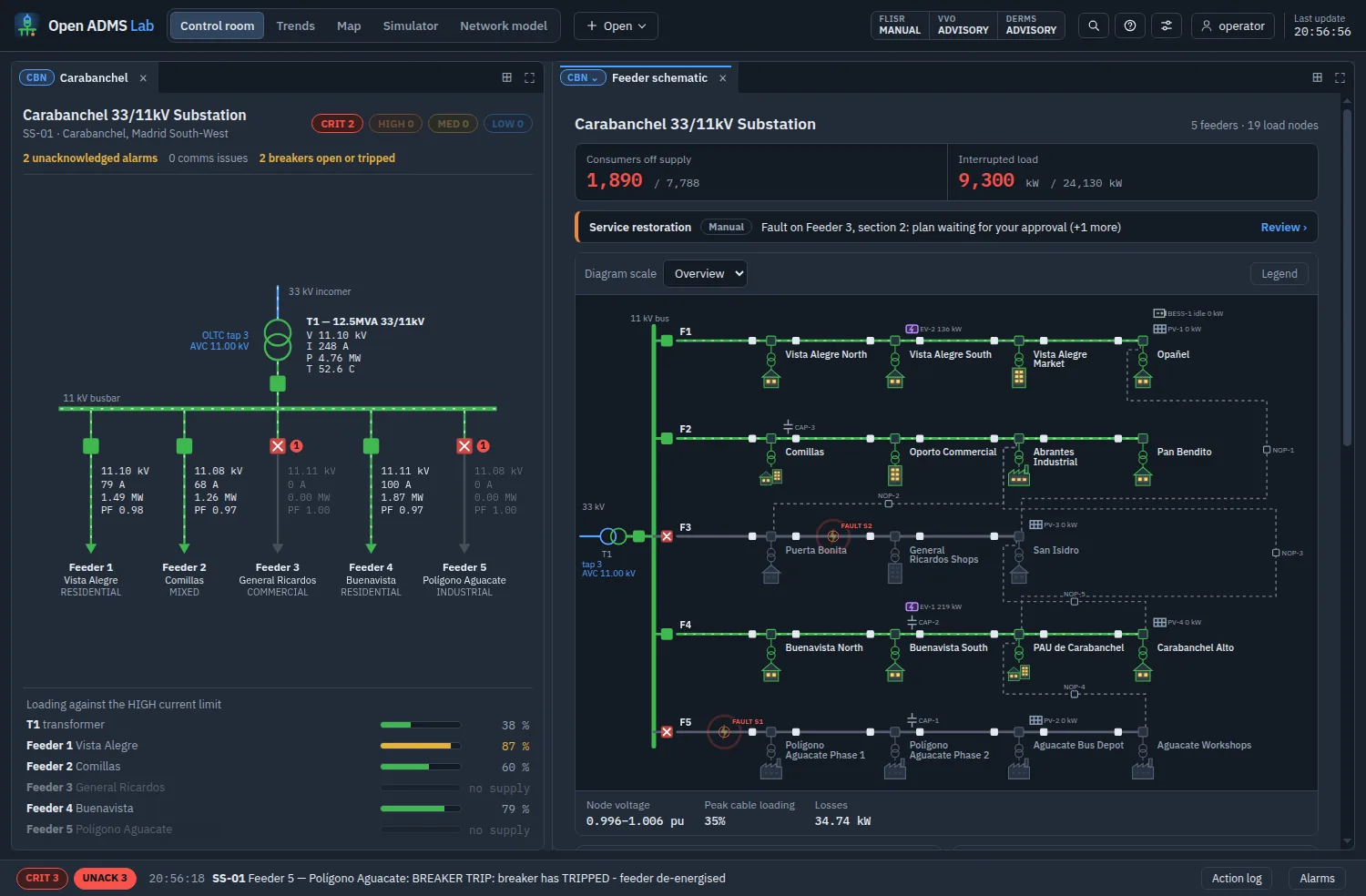
Control room: substation single-line diagram beside the feeder schematic, with tripped feeders, faulted sections and a FLISR plan waiting for approval
Control room: feeder breakers have tripped in a storm, and FLISR has a restoration plan waiting for approval.

Everything a distribution control room runs

Not mock screens: each module works on the same live network, and what one does the others see.

Work with it through AI

An MCP endpoint lets an AI assistant such as Claude work on the same live network as the control room, behind the same sign-in and roles. The AI proposes; a person decides.

Connect your assistant

  1. Use your account on this server. The MCP endpoint takes the same user name and password as the control room sign-in. Any role can ask questions; the network model tools need an engineer.
  2. Encode them for the sign-in header. Put your own user name and password in this command:
    printf 'user:password' | base64
    It prints one line, called BASE64 below. Keep it secret: it is as good as the password.
  3. Add the server to your assistant, with that line in place of BASE64.
    Claude Code
    claude mcp add --transport http adms https://seat01.adms.vedranv.com/mcp \
      --header "Authorization: Basic BASE64"

    Check: claude mcp list shows adms as connected.

    Codex
    [mcp_servers.adms]
    url = "https://seat01.adms.vedranv.com/mcp"
    http_headers = { Authorization = "Basic BASE64" }

    Add these lines to ~/.codex/config.toml: the codex mcp add command cannot set this header. Check: codex mcp get adms shows the server.
  4. Ask in plain words. For example: “Which feeders are closest to their limit now?”, “Summarise the open outages and who works on them”, or “What would closing tie NOP-3 on Carabanchel do? Operate nothing.”
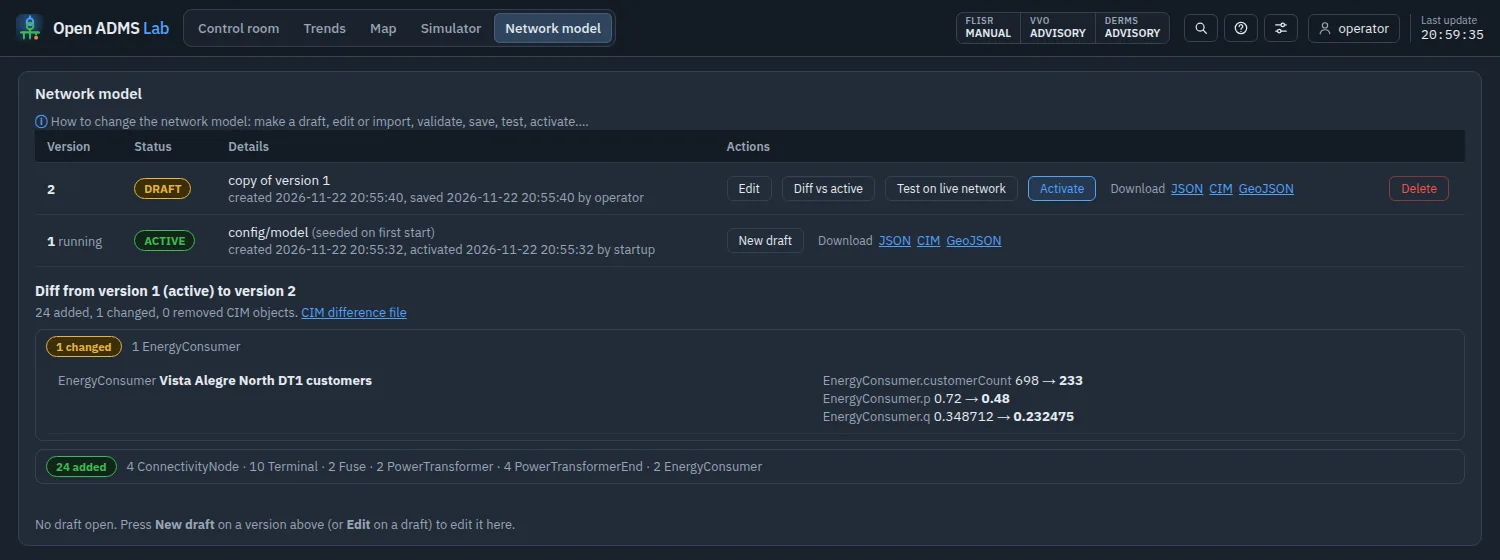
Network model panel: a draft version next to the active one, with the changes per CIM object
Network model: a draft against the running version, per CIM object, waiting for an engineer to activate it.

Under the hood

Built the way a real system is, scaled down to one program.

See it

Screens from the running system.
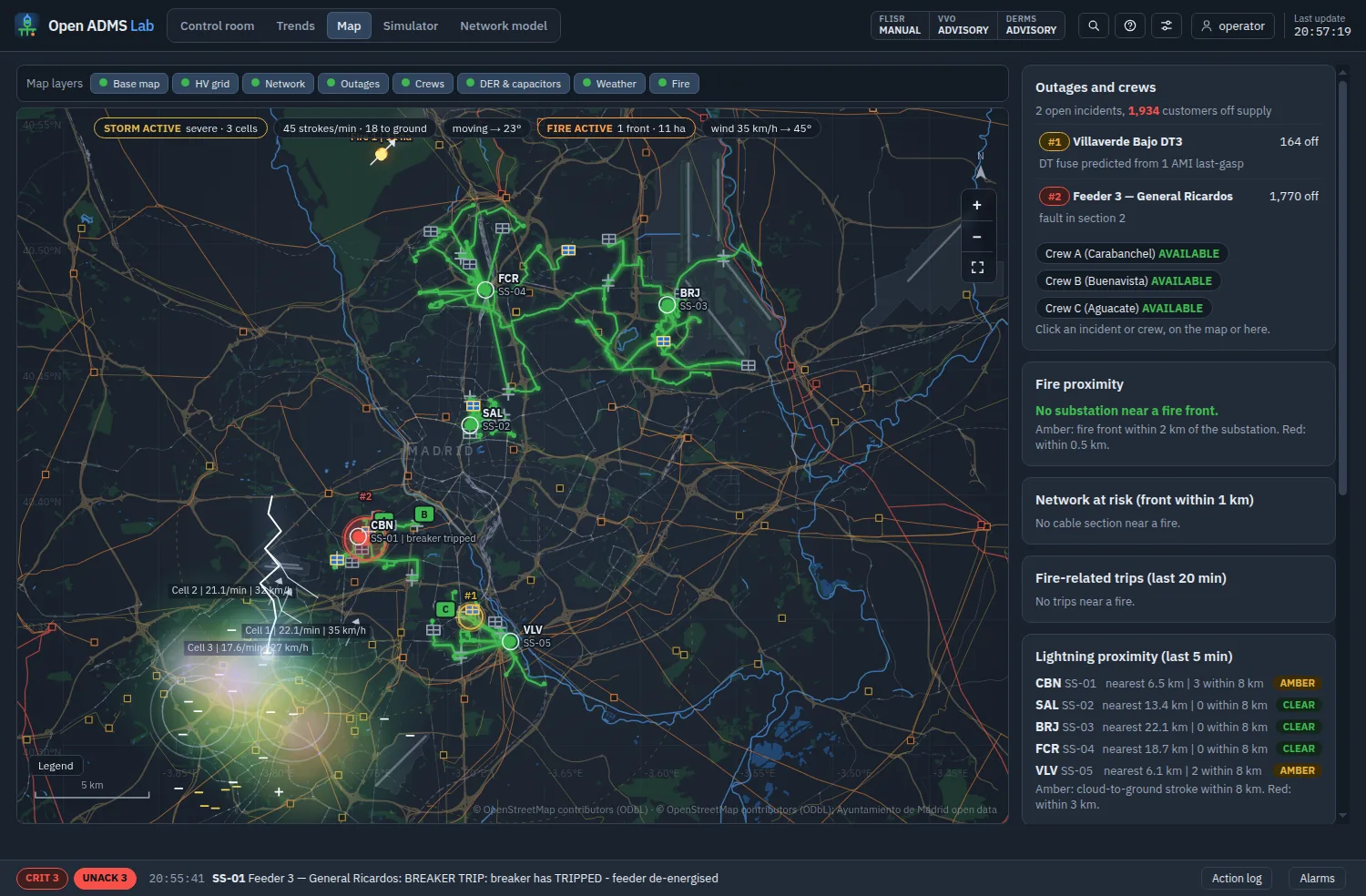
Map of Madrid with substations, feeder routes, a storm and a fire front
Map: feeders on Madrid streets during a storm and a wildfire.
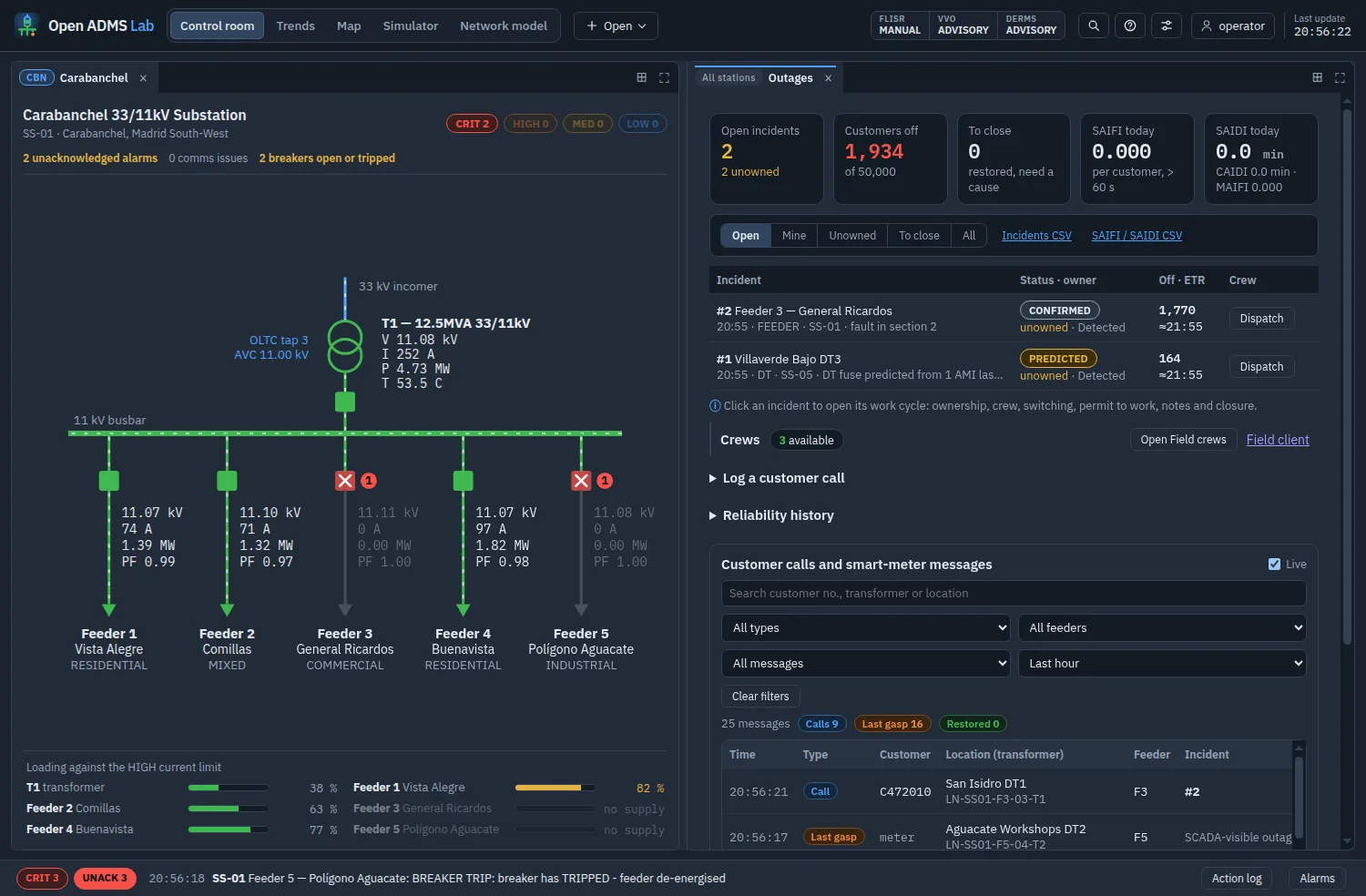
Outage management: open incidents, customers off supply, SAIFI and SAIDI, customer calls and smart-meter messages
Outages: incidents, crews and the calls and meter messages behind them.
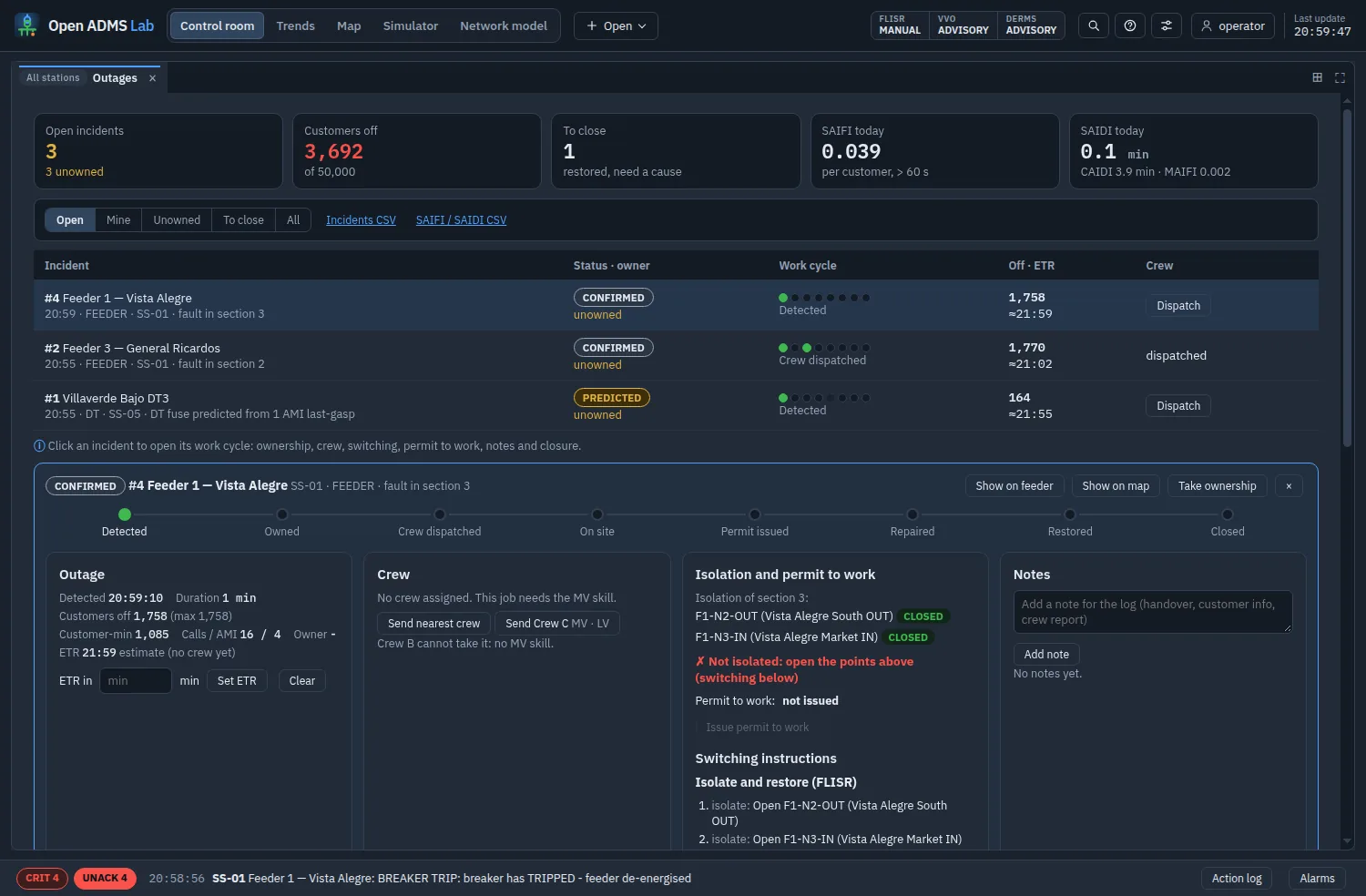
Outages tool with one incident open: its work cycle from detected to closed, the crew, the isolation switching steps and the notes
Incident: the work cycle from detection to closing, with crew, isolation, permit and notes.
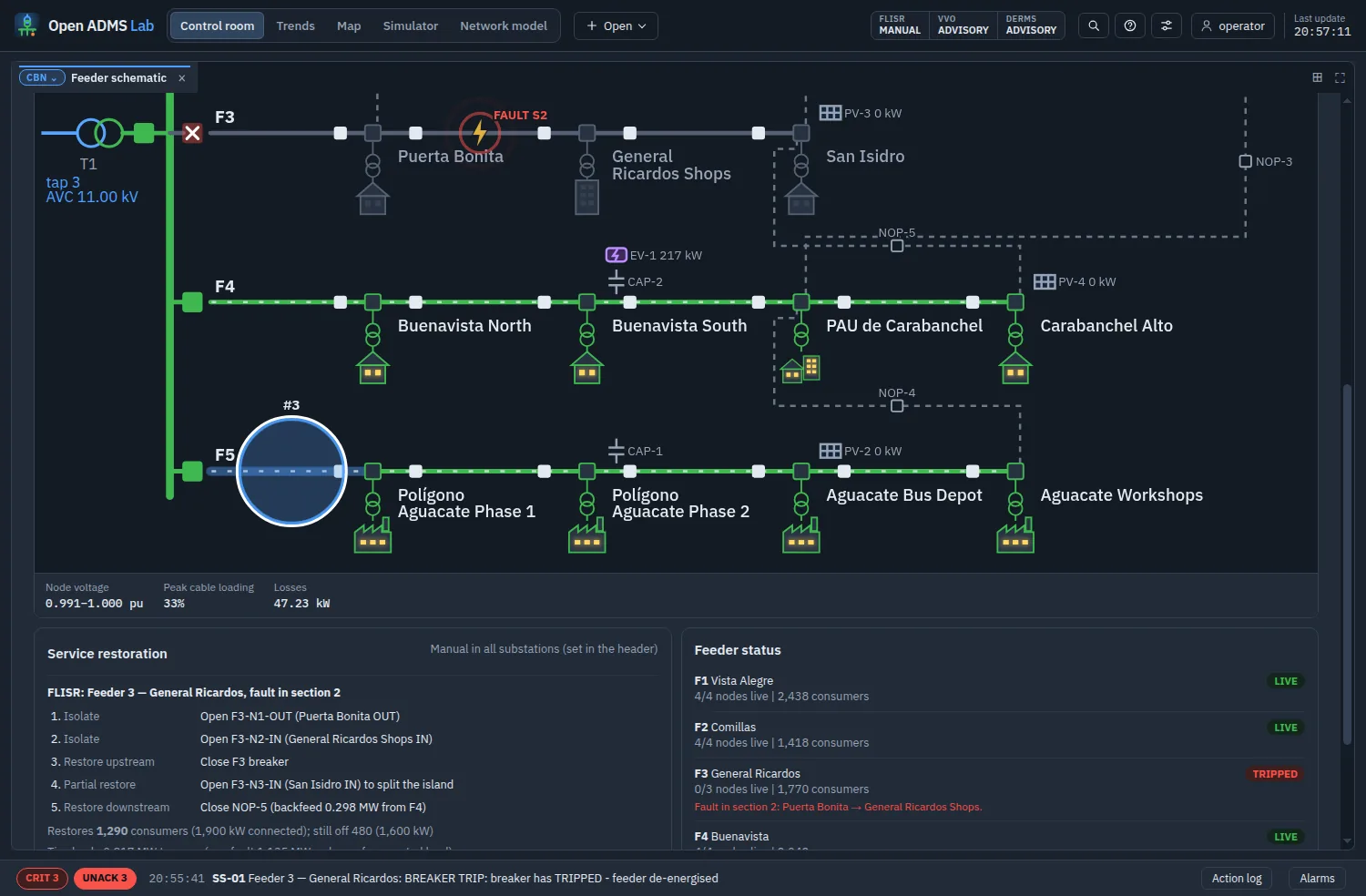
Feeder schematic zoomed on one feeder, with a ring and the incident number around the tripped section, and the FLISR plan below
Find an incident: one click shows it on the feeder schematic or on the map.
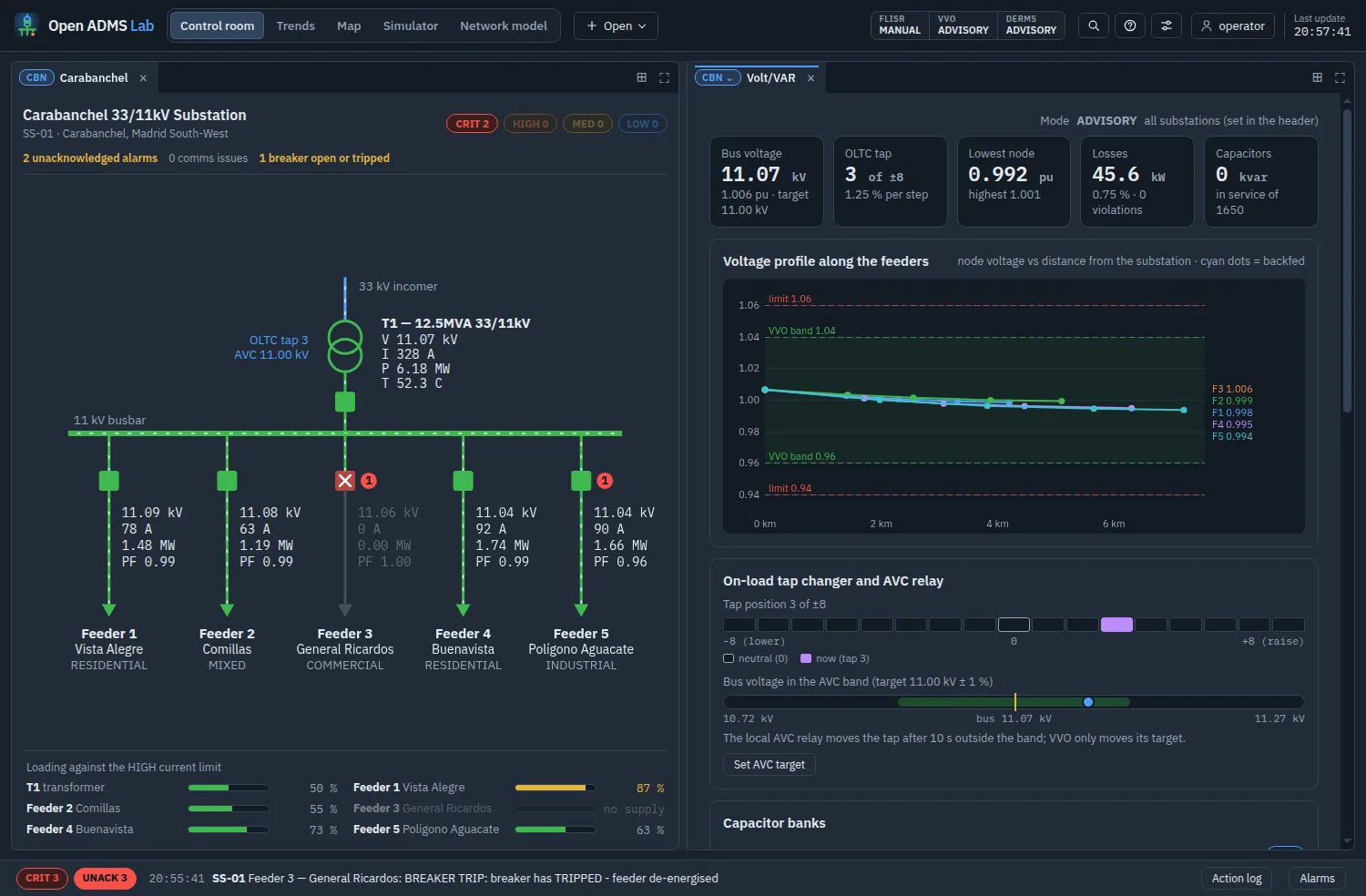
Volt/VAR optimisation: bus voltage, tap changer, losses and the voltage profile along each feeder
Volt/VAR: the voltage along each feeder, the tap changer and the losses.
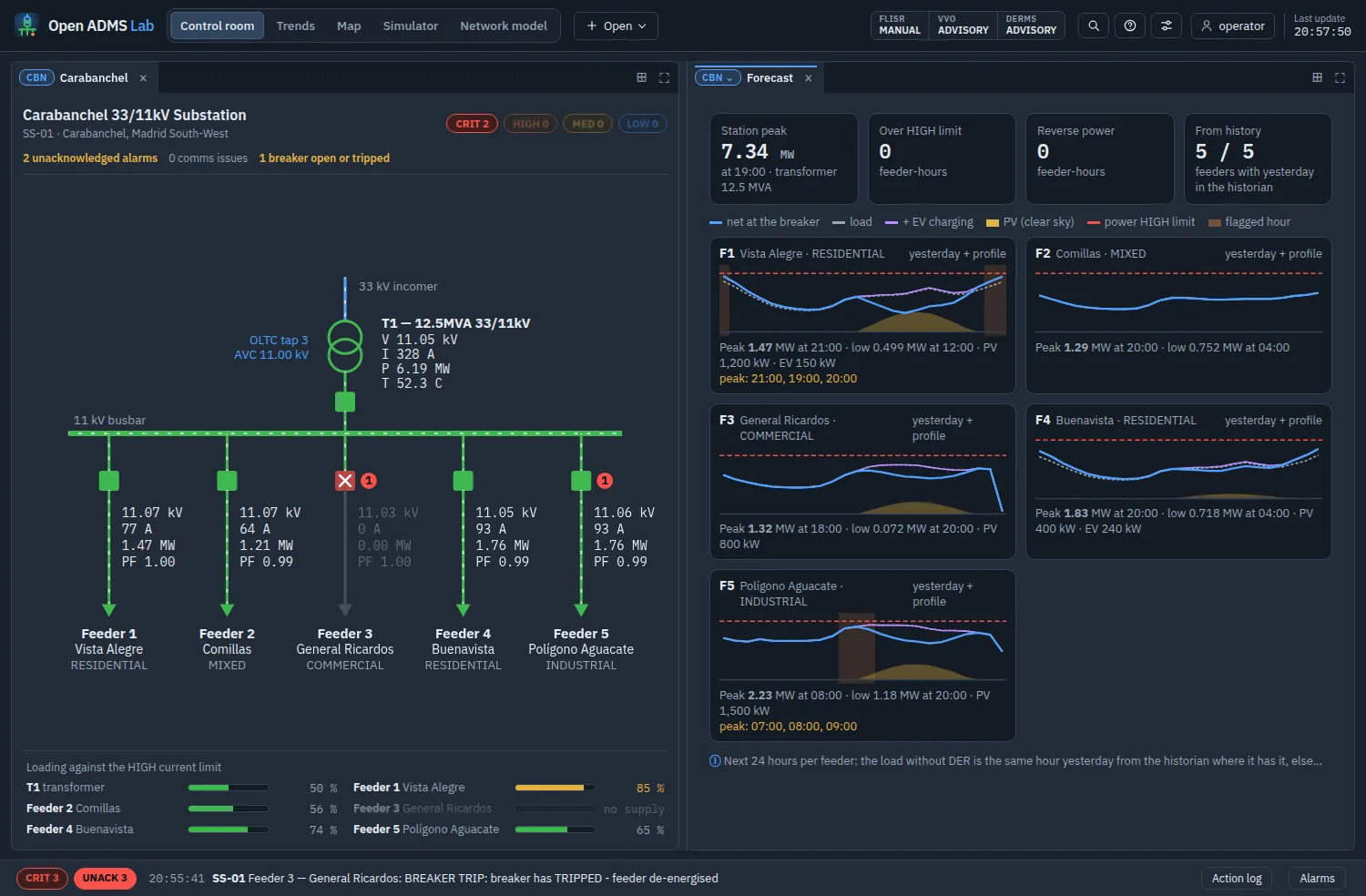
Day-ahead forecast per feeder: load, solar, EV charging and the hours over a limit
Forecast: the next 24 hours per feeder, with load, solar and EV charging.
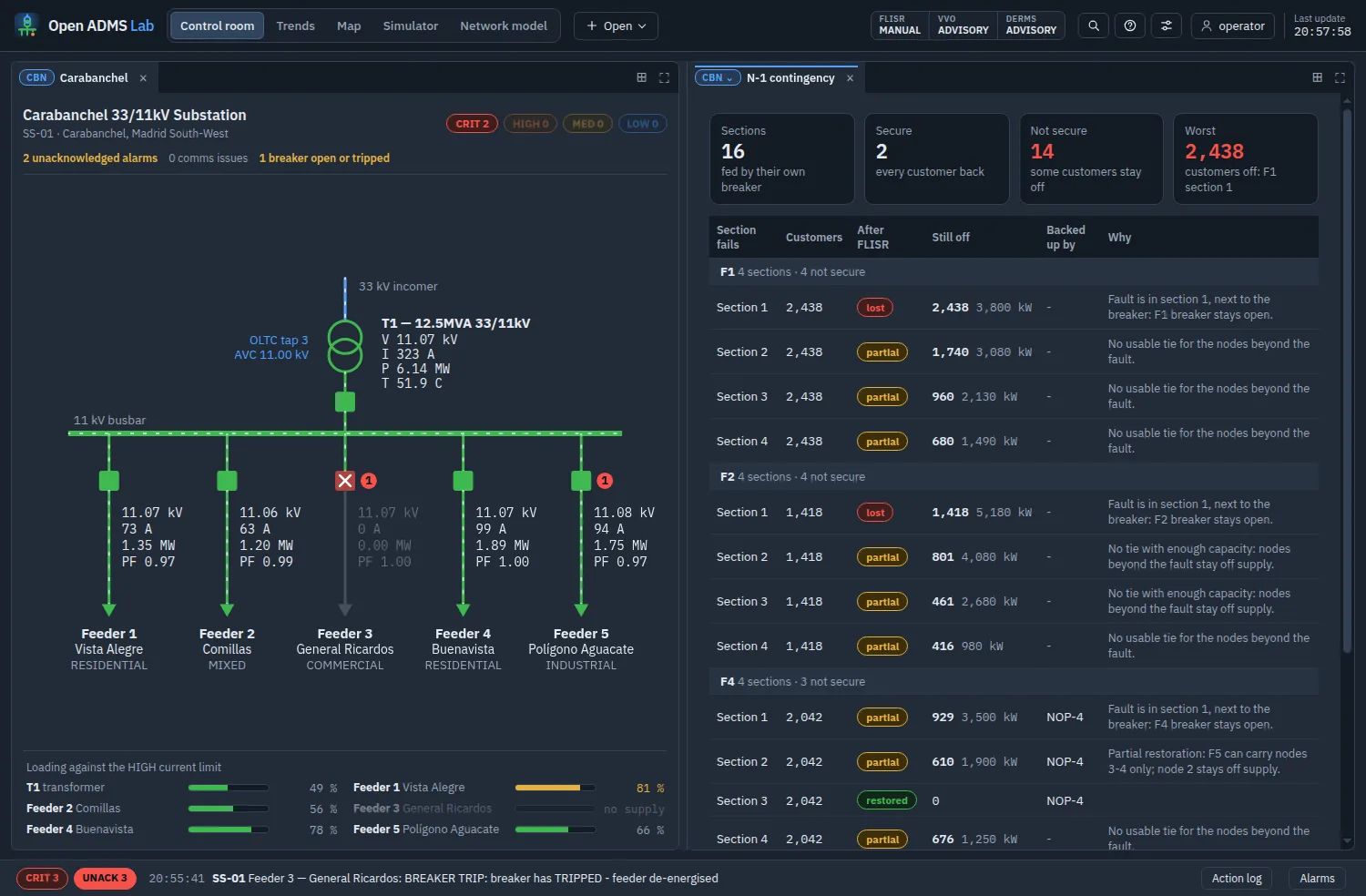
N-1 contingency table: each cable section fails in turn, with the customers FLISR brings back and those who stay off
N-1: each cable section fails in turn; who FLISR brings back and who stays off.
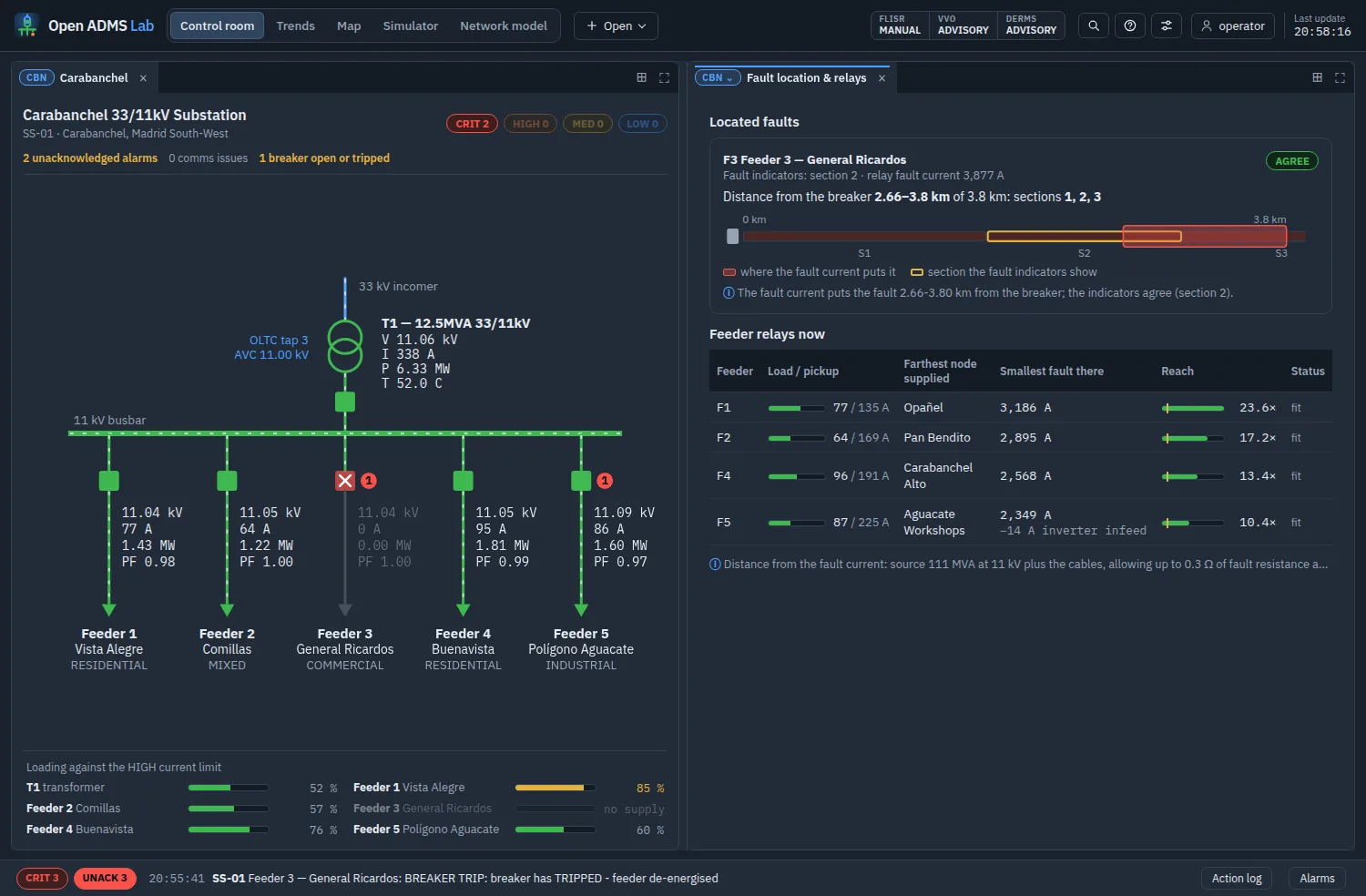
Fault location: the distance from the breaker computed from the fault current, the sections it points to, and each feeder relay's load and reach
Fault location: where the fault current puts the fault, and each relay's load and reach.
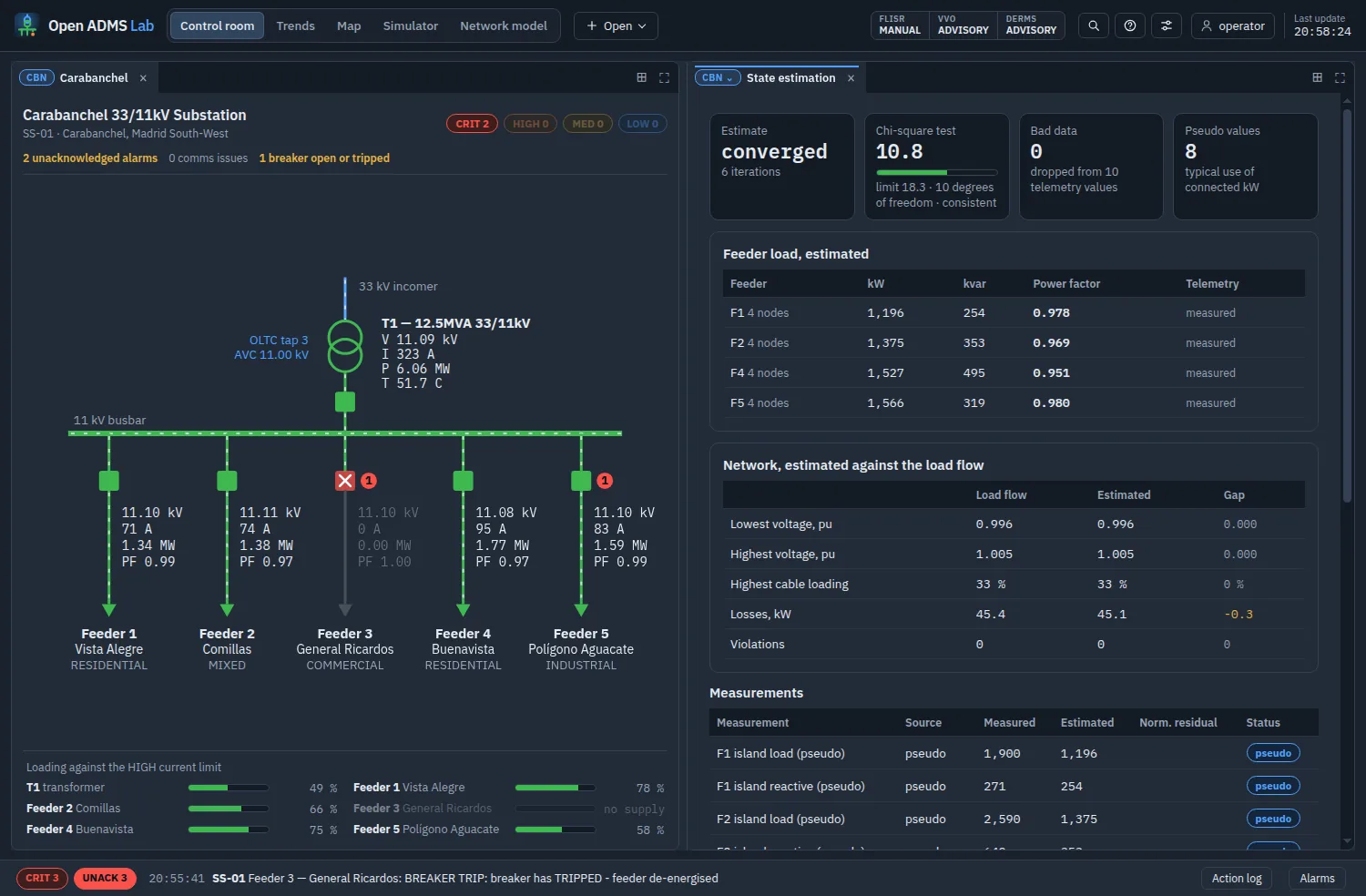
State estimation: a converged estimate with its chi-square test, the estimated feeder loads and the estimate against the load flow
State estimation: estimated loads checked against the measurements, with bad data detection.
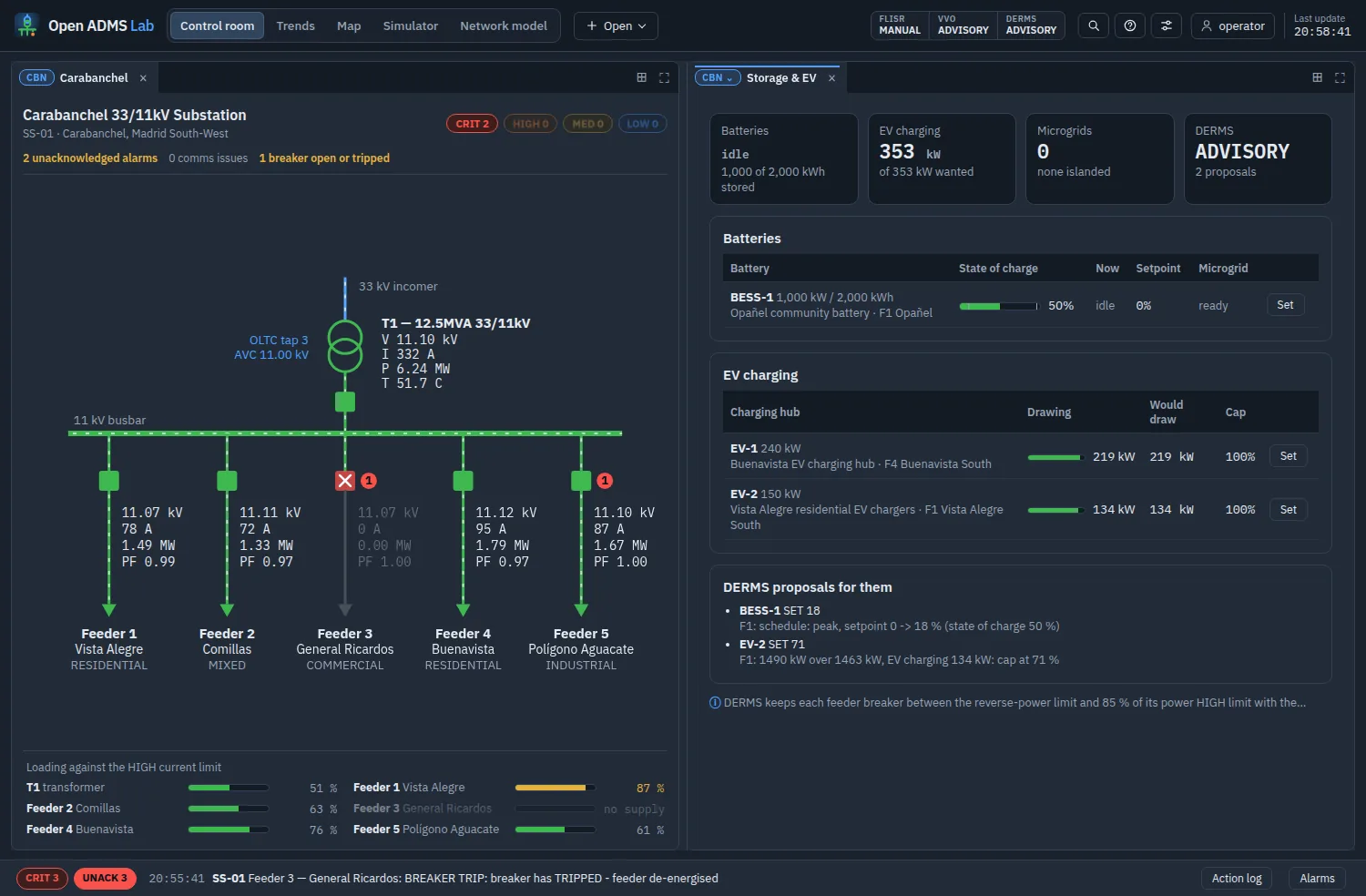
Storage and EV: battery state of charge, EV charging hubs with their caps, and the DERMS proposals for them
Storage and EV: batteries, charging hubs and what DERMS proposes for them.
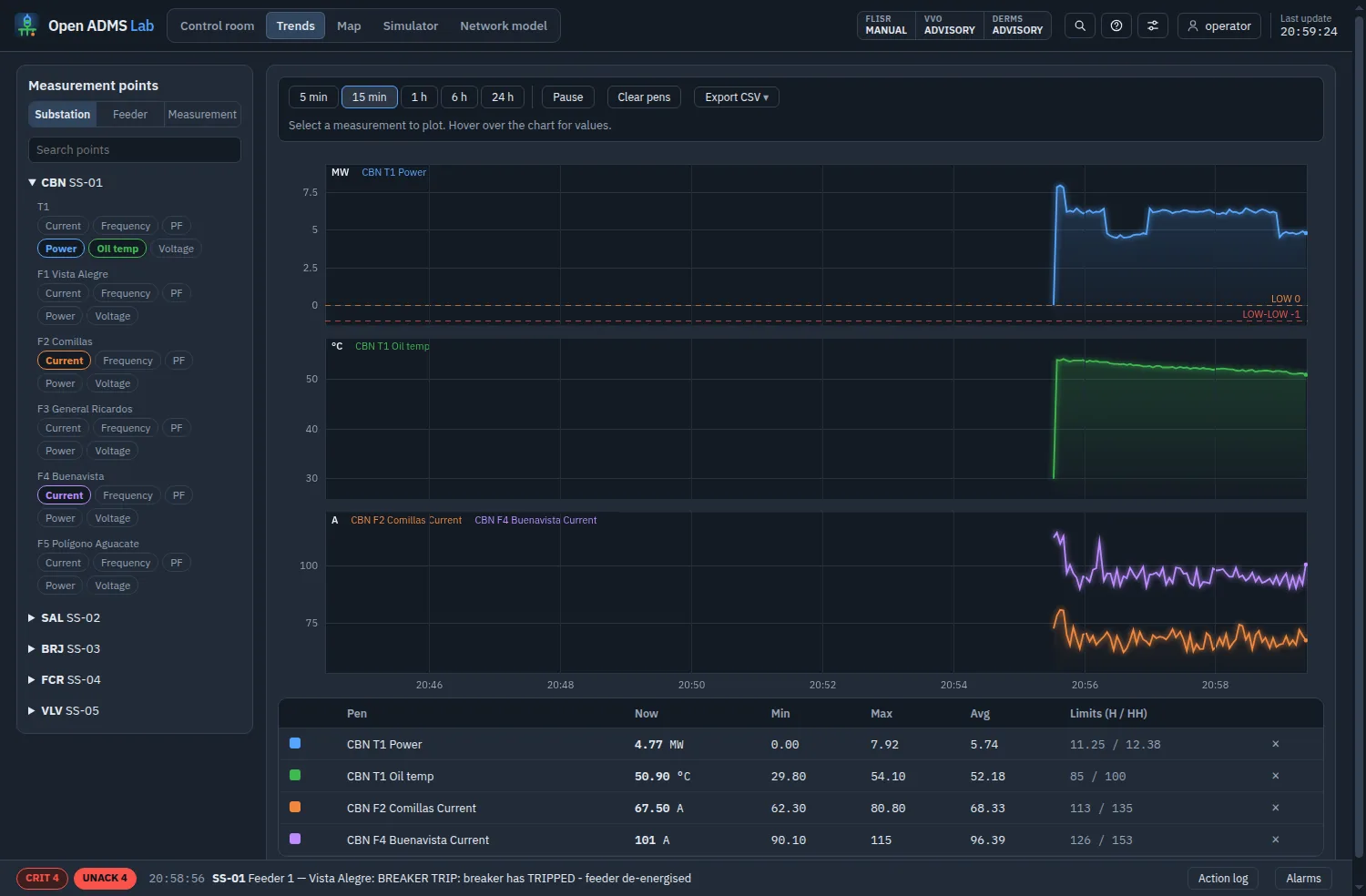
Trends console: transformer power, oil temperature and feeder currents plotted against time with their limits
Trends: any measurement against time, with its limits.
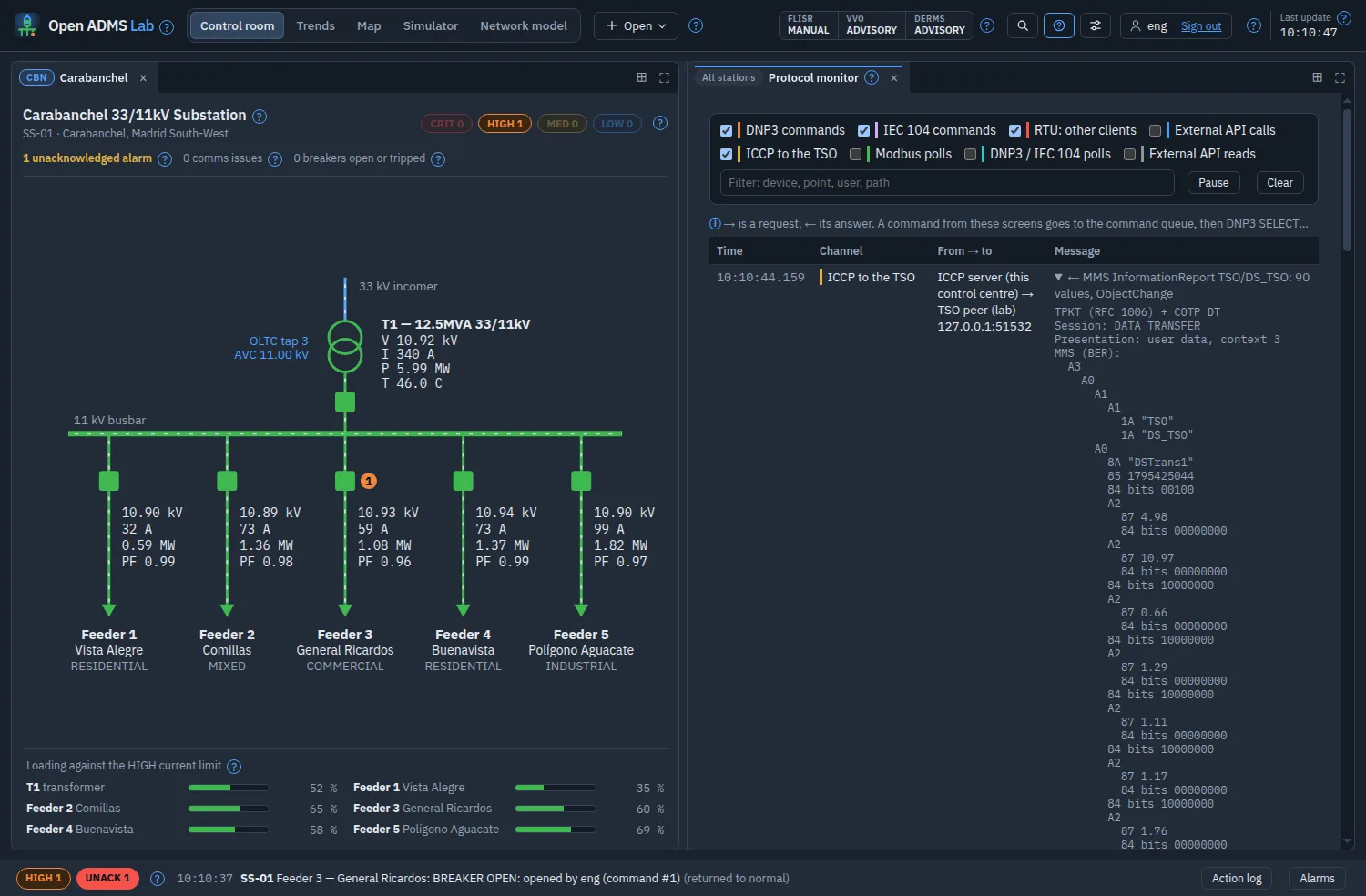
Protocol monitor next to a substation diagram: the ICCP report sent to the TSO after a breaker operation, decoded from TPKT and session down to the MMS values
Protocol monitor: the ICCP report the TSO gets when a breaker changes, decoded down to the MMS bytes.